Hash Tables, Hash Sets, and Hash Maps Explained
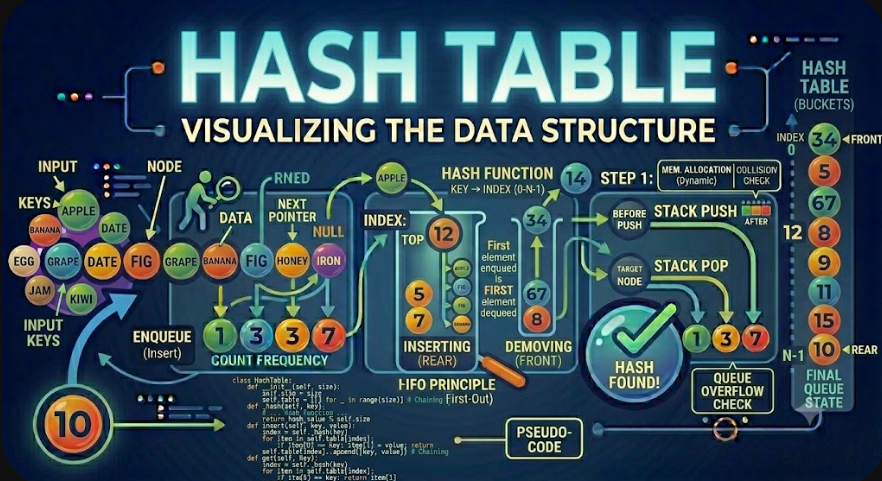
A Hash Table is a data structure that stores data using a hash function. It maps keys to positions in an internal array, allowing fast insertion, search, and deletion in average O(1) time.
Hash Tables are one of the most important topics in Data Structures and Algorithms. They are the foundation behind Hash Sets and Hash Maps, and they appear in many real software systems such as dictionaries, caches, databases, indexes, compilers, routing tables, and lookup services.
Introduction
When developers need to search for data quickly, a simple array is not always enough. If the array is unsorted, searching may require checking every element one by one using Linear Search. This gives O(n) time complexity.
Hash Tables solve this problem using a different idea. Instead of searching through all elements, a Hash Table uses a key and a hash function to calculate where the data should be stored.
This allows many operations such as insert, search, update, and delete to be very fast on average. Because of this, Hash Tables are used heavily in programming languages, frameworks, databases, and real-world backend systems.
What Is a Hash Table?
A Hash Table is a data structure that stores data in an array-like structure using a hash function. The hash function converts a key into an index, and that index determines where the value should be stored.
The basic idea looks like this:
key → hash function → index → bucketFor example, if we want to store a user by email, the email can be used as the key:
Key:   user@example.com
Value: User data
The hash function converts the key into an internal array index:
hash(user@example.com) % tableSize = 3So the value is stored at bucket index 3.
Why Hash Tables Are Important
Hash Tables are important because they provide very fast lookup. In many applications, developers need to answer questions like:
Does this username already exist?
What user belongs to this ID?
Is this item already in the collection?
How many times did this word appear?
Is this permission assigned to this role?
Can we retrieve cached data using this key?
Without a Hash Table, these operations may require scanning a list. With a Hash Table, they can often be done in average O(1) time.
Hash Table Terminology
Before studying Hash Tables deeply, it is important to understand the common terms.
Key: The identifier used to store or retrieve data.
Value: The actual data associated with a key.
Hash function: A function that converts a key into a numeric hash value.
Index: The position in the internal array where data may be stored.
Bucket: A slot in the internal array.
Collision: A situation where two different keys produce the same index.
Load factor: A measurement of how full the hash table is.
Rehashing: The process of resizing the table and redistributing keys.
These terms appear in almost every Hash Table implementation.
How a Hash Table Works
A Hash Table usually works in three main steps.
A key is passed to a hash function.
The hash function generates a numeric hash value.
The hash value is converted into an array index.
For example:
Key: "apple"

Hash function output: 93029210

Table size: 10

Index = 93029210 % 10 = 0
The value associated with the key apple is stored in bucket 0.
When we want to retrieve the value later, the same key is passed to the same hash function. It produces the same index, so the Hash Table knows where to look.
What Is a Hash Function?
A hash function is a function that takes an input key and converts it into a numeric value. This numeric value is then used to calculate an index in the internal array.
A good hash function should:
Always return the same hash for the same key.
Distribute keys evenly across the table.
Be fast to compute.
Reduce collisions as much as possible.
For educational purposes, we can imagine a simple hash function that converts characters into numbers.
Simple Hash Function Example
Suppose we have the key:
catWe can convert each character to a numeric code and add them:
c = 99
a = 97
t = 116

hash = 99 + 97 + 116 = 312
If the table size is 10, the index becomes:
index = 312 % 10 = 2So the key cat would be stored at bucket index 2.
This hash function is simple and useful for learning, but real hash functions are more advanced because they need better distribution and fewer collisions.
Hash Table in Memory
A Hash Table usually uses an internal array of buckets. Each bucket can store a key-value pair or a collection of key-value pairs if collisions happen.
For example:
Index 0: empty
Index 1: empty
Index 2: key = cat, value = 5
Index 3: empty
Index 4: key = dog, value = 8
The table does not store items in the order they were inserted. It stores them based on the hash index.
This is why Hash Tables are excellent for lookup but not designed for ordered traversal unless the specific language implementation preserves insertion order.
Manual Run Example
Let us manually insert three key-value pairs into a small Hash Table.
Table size = 5We will use a simple educational hash function:
hash(key) = sum of character codes
index = hash(key) % tableSize
We want to insert:
"cat" → 10
"dog" → 20
"bird" → 30
Step 1: Insert cat
Calculate the hash for cat:
c = 99
a = 97
t = 116

hash = 99 + 97 + 116 = 312
Calculate the index:
index = 312 % 5 = 2Store the value at index 2:
Index 0: empty
Index 1: empty
Index 2: cat → 10
Index 3: empty
Index 4: empty
Step 2: Insert dog
Calculate the hash for dog:
d = 100
o = 111
g = 103

hash = 100 + 111 + 103 = 314
Calculate the index:
index = 314 % 5 = 4Store the value at index 4:
Index 0: empty
Index 1: empty
Index 2: cat → 10
Index 3: empty
Index 4: dog → 20
Step 3: Insert bird
Calculate the hash for bird:
b = 98
i = 105
r = 114
d = 100

hash = 98 + 105 + 114 + 100 = 417
Calculate the index:
index = 417 % 5 = 2Index 2 already contains cat. This creates a collision.
Index 2 already has:
cat → 10

New item:
bird → 30
The Hash Table must handle this collision using a collision resolution strategy.
What Is a Collision?
A collision happens when two different keys produce the same index in the Hash Table.
For example:
cat  → index 2
bird → index 2
Both keys want to use the same bucket. Collisions are normal in Hash Tables because many possible keys are mapped into a limited number of buckets.
A good Hash Table does not try to make collisions impossible. Instead, it uses a strategy to handle them correctly.
Collision Handling Strategies
The two most common collision handling strategies are:
Separate chaining.
Open addressing.
Each strategy solves collisions in a different way.
Separate Chaining
Separate chaining means each bucket can store multiple key-value pairs, usually in a linked list or dynamic array.
If cat and bird both map to index 2, the bucket can store both:
Index 0: empty
Index 1: empty
Index 2: [cat → 10] → [bird → 30]
Index 3: empty
Index 4: dog → 20
When searching for a key in index 2, the Hash Table checks the items in that bucket until it finds the matching key.
Separate chaining is simple and common in educational explanations because it is easy to understand.
Open Addressing
Open addressing stores all key-value pairs directly inside the main array. If a collision happens, the Hash Table looks for another available bucket.
For example, if index 2 is already used, the table may try index 3:
Index 0: empty
Index 1: empty
Index 2: cat → 10
Index 3: bird → 30
Index 4: dog → 20
There are different probing methods for open addressing:
Linear probing: Try the next index, then the next, until an empty bucket is found.
Quadratic probing: Use a quadratic step pattern to reduce clustering.
Double hashing: Use a second hash function to decide the probing step.
Open addressing can be memory efficient, but it requires careful handling of deleted entries and table resizing.
Load Factor
The load factor measures how full the Hash Table is.
load factor = number of stored items / number of bucketsFor example, if a table has 10 buckets and stores 7 items:
load factor = 7 / 10 = 0.7A high load factor means the table is becoming full. This can increase collisions and reduce performance.
Many Hash Table implementations resize the table when the load factor becomes too high.
Rehashing
Rehashing is the process of creating a larger Hash Table and moving all existing items into it.
This is needed because when the table becomes too full, collisions increase. A larger table gives the hash function more bucket positions to distribute keys.
During rehashing:
A new larger bucket array is created.
Each existing key is hashed again.
Each key-value pair is inserted into the new table.
The old table is replaced.
Rehashing costs time, but it does not happen on every operation. It helps keep average operations close to O(1).
Hash Table Operations
A Hash Table usually supports these operations:
insert: Add a key-value pair.
get: Retrieve a value by key.
update: Change the value associated with a key.
delete: Remove a key-value pair.
contains: Check whether a key exists.
keys: Return all keys.
values: Return all values.
The most important advantage is that insert, get, delete, and contains are average O(1).
Hash Table Pseudocode
class HashTable:
    buckets = array of empty lists

    hash(key):
        return numeric hash value

    index(key):
        return hash(key) % bucket count

    set(key, value):
        i = index(key)

        if key exists in buckets[i]:
            update value
        else:
            add key-value pair to buckets[i]

    get(key):
        i = index(key)

        search buckets[i] for key
        if found:
            return value

        return null

    delete(key):
        i = index(key)

        remove key-value pair from buckets[i]
This pseudocode uses separate chaining for collision handling.
Hash Table Example in PHP
Here is a simple educational Hash Table implementation in PHP using separate chaining.
<?php

class SimpleHashTable
{
    private array $buckets;

    public function __construct(private int $size = 10)
    {
        $this->buckets = array_fill(0, $this->size, []);
    }

    private function hash(string $key): int
    {
        $hash = 0;

        for ($i = 0; $i < strlen($key); $i++) {
            $hash += ord($key[$i]);
        }

        return $hash;
    }

    private function index(string $key): int
    {
        return $this->hash($key) % $this->size;
    }

    public function set(string $key, mixed $value): void
    {
        $index = $this->index($key);

        foreach ($this->buckets[$index] as &$pair) {
            if ($pair['key'] === $key) {
                $pair['value'] = $value;
                return;
            }
        }

        $this->buckets[$index][] = [
            'key' => $key,
            'value' => $value,
        ];
    }

    public function get(string $key): mixed
    {
        $index = $this->index($key);

        foreach ($this->buckets[$index] as $pair) {
            if ($pair['key'] === $key) {
                return $pair['value'];
            }
        }

        return null;
    }

    public function contains(string $key): bool
    {
        return $this->get($key) !== null;
    }

    public function delete(string $key): bool
    {
        $index = $this->index($key);

        foreach ($this->buckets[$index] as $position => $pair) {
            if ($pair['key'] === $key) {
                unset($this->buckets[$index][$position]);
                $this->buckets[$index] = array_values($this->buckets[$index]);

                return true;
            }
        }

        return false;
    }
}

$table = new SimpleHashTable();

$table->set('name', 'Adnan');
$table->set('role', 'Developer');

echo $table->get('name'); // Adnan
echo PHP_EOL;

var_dump($table->contains('role')); // true

$table->delete('role');

var_dump($table->contains('role')); // false
This implementation is simplified for learning. Real language-level hash tables are much more optimized and handle many edge cases.
Hash Table Example in JavaScript
Here is a simple Hash Table implementation in JavaScript using separate chaining.
class SimpleHashTable {
    constructor(size = 10) {
        this.size = size;
        this.buckets = Array.from({ length: size }, () => []);
    }

    hash(key) {
        let hash = 0;

        for (const char of key) {
            hash += char.charCodeAt(0);
        }

        return hash;
    }

    index(key) {
        return this.hash(key) % this.size;
    }

    set(key, value) {
        const index = this.index(key);
        const bucket = this.buckets[index];

        for (const pair of bucket) {
            if (pair.key === key) {
                pair.value = value;
                return;
            }
        }

        bucket.push({ key, value });
    }

    get(key) {
        const index = this.index(key);
        const bucket = this.buckets[index];

        for (const pair of bucket) {
            if (pair.key === key) {
                return pair.value;
            }
        }

        return null;
    }

    contains(key) {
        return this.get(key) !== null;
    }

    delete(key) {
        const index = this.index(key);
        const bucket = this.buckets[index];

        for (let i = 0; i < bucket.length; i++) {
            if (bucket[i].key === key) {
                bucket.splice(i, 1);
                return true;
            }
        }

        return false;
    }
}

const table = new SimpleHashTable();

table.set('name', 'Adnan');
table.set('role', 'Developer');

console.log(table.get('name'));      // Adnan
console.log(table.contains('role')); // true

table.delete('role');

console.log(table.contains('role')); // false
The JavaScript version follows the same concept as the PHP version. Keys are converted into bucket indexes, and collisions are handled using arrays inside buckets.
Hash Tables in Built-In Languages
Many programming languages provide built-in Hash Table-like structures.
Examples include:
PHP: Associative arrays.
JavaScript: Objects, Map, and Set.
Python: dict and set.
Java: HashMap and HashSet.
C#: Dictionary and HashSet.
These built-in structures are usually optimized and should be used in real projects instead of manually implementing a Hash Table from scratch.
DSA Hash Sets
A Hash Set is a data structure that stores unique values. It is usually built on top of a Hash Table, but it stores only keys, not key-value pairs.
The main purpose of a Hash Set is to answer this question quickly:
Does this value exist?For example:
Hash Set:
{apple, banana, orange}
If we try to add banana again, the set does not store a duplicate.
{apple, banana, orange}This makes Hash Sets useful for uniqueness and membership checking.
Hash Set Operations
A Hash Set usually supports these operations:
add: Add a value if it does not already exist.
has: Check whether a value exists.
delete: Remove a value.
size: Return the number of unique values.
clear: Remove all values.
The average time complexity of add, has, and delete is O(1).
Manual Run for Hash Set
Let us manually run these Hash Set operations:
add(10)
add(20)
add(10)
has(20)
delete(10)
has(10)
Start with an empty set:
{}After add(10):
{10}After add(20):
{10, 20}After add(10) again:
{10, 20}The value 10 is not duplicated.
Now has(20) returns:
trueAfter delete(10):
{20}Now has(10) returns:
falseThis manual run shows the main behavior of a Hash Set: unique storage and fast membership checking.
Hash Set Example in JavaScript
JavaScript provides a built-in Set object.
const visitedUsers = new Set();

visitedUsers.add(101);
visitedUsers.add(102);
visitedUsers.add(101);

console.log(visitedUsers.has(101)); // true
console.log(visitedUsers.size);     // 2

visitedUsers.delete(101);

console.log(visitedUsers.has(101)); // false
The value 101 is added only once because Sets store unique values.
Hash Set Example in PHP
PHP does not have a dedicated built-in Set type like JavaScript, but associative arrays can be used to simulate a Hash Set.
<?php

$visitedUsers = [];

$visitedUsers[101] = true;
$visitedUsers[102] = true;
$visitedUsers[101] = true;

var_dump(isset($visitedUsers[101])); // true
echo count($visitedUsers);           // 2

unset($visitedUsers[101]);

var_dump(isset($visitedUsers[101])); // false
The keys represent the set values. Since array keys are unique, duplicates are naturally avoided.
Common Use Cases of Hash Sets
Hash Sets are useful when uniqueness or membership checking is important.
Common use cases include:
Removing duplicate values.
Checking if an item was already visited.
Detecting duplicate usernames or emails.
Tracking visited nodes in graph algorithms.
Checking whether a value exists in a collection.
Finding intersections between collections.
For example, in graph traversal, a Hash Set can store visited nodes so the algorithm does not process the same node twice.
Example: Remove Duplicates Using a Hash Set
Suppose we have this array:
[3, 5, 3, 2, 5, 1]Using a Hash Set, we can keep only unique values:
{3, 5, 2, 1}In JavaScript:
const numbers = [3, 5, 3, 2, 5, 1];

const uniqueNumbers = [...new Set(numbers)];

console.log(uniqueNumbers);
The output will be:
[3, 5, 2, 1]The order may follow insertion order in JavaScript's Set, but the main idea is uniqueness.
DSA Hash Maps
A Hash Map is a data structure that stores key-value pairs. It is also usually built on top of a Hash Table.
The main purpose of a Hash Map is to answer this question quickly:
What value belongs to this key?For example:
userId → userName

101 → Ali
102 → Sara
103 → Omar
If we know the key 102, we can quickly retrieve the value Sara.
Hash Map Operations
A Hash Map usually supports these operations:
set: Add or update a key-value pair.
get: Retrieve the value for a key.
has: Check whether a key exists.
delete: Remove a key-value pair.
keys: Return all keys.
values: Return all values.
entries: Return all key-value pairs.
The average time complexity of set, get, has, and delete is O(1).
Manual Run for Hash Map
Let us manually run these Hash Map operations:
set('name', 'Ali')
set('age', 25)
get('name')
set('age', 26)
delete('name')
has('name')
Start with an empty map:
{}After set('name', 'Ali'):
{
  name: Ali
}
After set('age', 25):
{
  name: Ali,
  age: 25
}
get('name') returns:
AliAfter set('age', 26), the value is updated:
{
  name: Ali,
  age: 26
}
After delete('name'):
{
  age: 26
}
has('name') returns:
falseThis manual run shows the key-value behavior of a Hash Map.
Hash Map Example in JavaScript
JavaScript provides a built-in Map object.
const userMap = new Map();

userMap.set(101, 'Ali');
userMap.set(102, 'Sara');
userMap.set(103, 'Omar');

console.log(userMap.get(102)); // Sara
console.log(userMap.has(101)); // true

userMap.set(102, 'Sarah');

console.log(userMap.get(102)); // Sarah

userMap.delete(101);

console.log(userMap.has(101)); // false
The Map stores values by key and allows fast lookup.
Hash Map Example in PHP
PHP associative arrays are commonly used as Hash Maps.
<?php

$userMap = [];

$userMap[101] = 'Ali';
$userMap[102] = 'Sara';
$userMap[103] = 'Omar';

echo $userMap[102]; // Sara
echo PHP_EOL;

var_dump(isset($userMap[101])); // true

$userMap[102] = 'Sarah';

echo $userMap[102]; // Sarah
echo PHP_EOL;

unset($userMap[101]);

var_dump(isset($userMap[101])); // false
This is one of the most common ways PHP developers use Hash Map behavior in real projects.
Hash Table vs Hash Set vs Hash Map
Hash Table, Hash Set, and Hash Map are closely related, but they are not exactly the same concept.
A Hash Table is the underlying data structure idea. It uses a hash function, buckets, and collision handling.
A Hash Set stores unique values. Internally, it can use a Hash Table where the values act like keys.
A Hash Map stores key-value pairs. Internally, it uses keys to calculate where values are stored.
Hash Table: underlying mechanism
Hash Set:   stores unique values
Hash Map:   stores key-value pairs
In simple terms:
Use a Hash Set when you only care whether a value exists.
Use a Hash Map when you need to store and retrieve values by key.
Study Hash Tables to understand how both structures work internally.
Time Complexity of Hash Tables
Time complexity describes how the running time of operations grows as the input size increases.
For Hash Tables, common average complexities are:
Insert: O(1) average
Search: O(1) average
Delete: O(1) average
Update: O(1) average
Traversal: O(n)
The average O(1) performance is the main reason Hash Tables are so useful.
Worst Case Time Complexity
The worst case for Hash Table operations can be O(n).
This happens when many keys collide into the same bucket. If all keys are stored in one bucket, the Hash Table may need to scan many items inside that bucket.
Index 0: empty
Index 1: empty
Index 2: [key1] → [key2] → [key3] → [key4] → [key5]
Index 3: empty
If the target key is at the end of the chain, searching can take O(n).
Good hash functions, resizing, and collision handling help avoid this situation in practice.
Space Complexity of Hash Tables
The space complexity of a Hash Table is usually O(n), where n is the number of stored items.
However, Hash Tables also allocate buckets, and some buckets may be empty. This means they may use more memory than a simple list.
The memory cost includes:
The bucket array.
The stored keys.
The stored values.
Extra references or chain structures for collisions.
Hash Tables trade extra memory for faster lookup.
Why Hash Tables Are Average O(1)
Hash Tables are average O(1) because the hash function directly calculates where a key should be stored.
Instead of checking elements one by one, the table does this:
key → hash → indexIf collisions are low, the bucket contains only one or a few items. This makes lookup very fast.
However, O(1) is not guaranteed in every situation. It depends on good hashing, reasonable load factor, and effective collision handling.
Practical Example: Counting Word Frequency
Hash Maps are excellent for counting frequencies.
Suppose we have this list of words:
apple, banana, apple, orange, banana, appleWe can use a Hash Map to count occurrences:
apple  → 3
banana → 2
orange → 1
In JavaScript:
const words = ['apple', 'banana', 'apple', 'orange', 'banana', 'apple'];
const frequency = new Map();

for (const word of words) {
    const currentCount = frequency.get(word) || 0;
    frequency.set(word, currentCount + 1);
}

console.log(frequency);
This is a classic Hash Map use case because each word can be updated quickly.
Practical Example: Detecting Duplicates
Hash Sets are excellent for detecting duplicates.
Suppose we have this array:
[4, 2, 7, 4, 9]We can scan the array and add values to a set. If we see a value that already exists in the set, we found a duplicate.
const numbers = [4, 2, 7, 4, 9];
const seen = new Set();

for (const number of numbers) {
    if (seen.has(number)) {
        console.log('Duplicate found:', number);
        break;
    }

    seen.add(number);
}
This avoids nested loops and improves performance from O(n²) to average O(n).
Practical Example: Two Sum Problem
The Two Sum problem is a famous example where a Hash Map improves performance.
Given an array and a target, find two numbers that add up to the target.
numbers = [2, 7, 11, 15]
target = 9
The answer is 2 and 7.
Using a Hash Map, we store numbers we have already seen:
function twoSum(numbers, target) {
    const seen = new Map();

    for (let i = 0; i < numbers.length; i++) {
        const complement = target - numbers[i];

        if (seen.has(complement)) {
            return [seen.get(complement), i];
        }

        seen.set(numbers[i], i);
    }

    return [];
}

console.log(twoSum([2, 7, 11, 15], 9));
The output will be:
[0, 1]This solution is average O(n), because each lookup in the Hash Map is average O(1).
When Should Developers Use a Hash Set?
Developers should use a Hash Set when they need uniqueness or fast membership checking.
Hash Sets are useful when:
Duplicate values should be removed.
Visited items must be tracked.
Membership checks are frequent.
Only values matter, not key-value relationships.
Graph traversal needs a visited collection.
The main question is: do we only need to know whether a value exists? If yes, a Hash Set may be the right choice.
When Should Developers Use a Hash Map?
Developers should use a Hash Map when they need to associate keys with values.
Hash Maps are useful when:
User IDs need to map to user data.
Product codes need to map to product objects.
Words need to map to counts.
Cache keys need to map to cached results.
Configuration names need to map to values.
Fast lookup by key is required.
The main question is: do we need to retrieve a value using a key? If yes, a Hash Map is usually a strong choice.
When Not to Use Hash Tables
Hash Tables are powerful, but they are not always the best choice.
Developers may avoid Hash Tables when:
Sorted order is required.
Range queries are needed.
Memory usage must be minimal.
Keys are hard to hash correctly.
Predictable iteration order is required and the language does not guarantee it.
Worst-case guarantees are more important than average performance.
For sorted data, trees or sorted arrays may be better. For range queries, balanced trees or database indexes may be more suitable.
Hash Tables vs Arrays
Arrays and Hash Tables solve different problems.
Arrays are good when elements are accessed by numeric index.
array[0]
array[1]
array[2]
Hash Tables are good when values are accessed by key.
users['email@example.com']
products['SKU-100']
Main differences include:
Arrays provide fast access by index.
Hash Tables provide fast access by key.
Arrays preserve natural index order.
Hash Tables organize data by hash indexes.
Arrays are simple and memory efficient.
Hash Tables use extra memory for fast lookup.
If the data is naturally indexed by position, use an array. If the data is accessed by key, use a Hash Map or Hash Table.
Hash Tables vs Binary Search
Binary Search works on sorted arrays and has O(log n) time complexity. Hash Tables usually provide average O(1) lookup.
However, Binary Search keeps data sorted, while Hash Tables do not naturally support sorted order.
Main differences include:
Binary Search requires sorted data.
Hash Tables do not require sorted data.
Binary Search lookup is O(log n).
Hash Table lookup is average O(1).
Binary Search supports ordered reasoning.
Hash Tables are better for direct key lookup.
The correct choice depends on whether order matters.
Common Mistakes When Learning Hash Tables
Beginners often think Hash Tables are always O(1), but this is only average-case behavior.
Common mistakes include:
Ignoring collisions.
Thinking collisions are impossible.
Using a poor hash function.
Forgetting to handle duplicate keys.
Confusing Hash Set with Hash Map.
Assuming Hash Tables always preserve order.
Ignoring memory overhead.
Using Hash Tables when sorted order is required.
The most important point is that Hash Tables are powerful because of good hashing and collision handling.
Practical Checklist for Understanding Hash Tables
Before moving to more advanced topics, developers should be able to answer these questions:
What is a key?
What is a value?
What does a hash function do?
How is a hash value converted into an index?
What is a bucket?
What is a collision?
How does separate chaining work?
What is open addressing?
What is load factor?
Why are operations average O(1)?
Why can the worst case become O(n)?
What is the difference between Hash Set and Hash Map?
If these questions are clear, the developer understands Hash Tables deeply instead of only memorizing terminology.
Advantages of Hash Tables
Hash Tables have several important advantages.
They provide average O(1) insertion.
They provide average O(1) lookup.
They provide average O(1) deletion.
They are excellent for key-value storage.
They are useful for uniqueness checks.
They are practical for caching and indexing.
They improve many algorithms from O(n²) to O(n).
These advantages make Hash Tables one of the most useful data structures in software development.
Disadvantages of Hash Tables
Hash Tables also have limitations.
They use extra memory.
They do not naturally maintain sorted order.
Worst-case operations can become O(n).
Performance depends on the hash function.
Collision handling adds complexity.
Rehashing can be expensive when it happens.
These limitations do not make Hash Tables bad. They simply show when another data structure may be more suitable.
Hash Tables in Real Software Projects
Hash Tables appear everywhere in real software projects.
Common real-world uses include:
User lookup by ID or email.
Product lookup by SKU.
Cache storage by key.
Session storage.
Counting frequencies.
Removing duplicates.
Tracking visited nodes.
Database indexing concepts.
Compiler symbol tables.
Routing tables and configuration maps.
For backend developers, Hash Maps and Hash Sets are especially important because they appear in data processing, validation, caching, and API logic.
Conclusion
A Hash Table is a data structure that uses a hash function to map keys to internal array indexes. It allows fast insertion, lookup, update, and deletion in average O(1) time.
Hash Tables are the foundation behind Hash Sets and Hash Maps. A Hash Set stores unique values and is useful for membership checking. A Hash Map stores key-value pairs and is useful for fast lookup by key.
The most important internal concepts are hash functions, buckets, collisions, collision handling, load factor, and rehashing. These concepts explain why Hash Tables are fast on average and why their worst-case performance can become O(n).
Hash Tables are not always the best solution. They use extra memory and do not naturally maintain sorted order. However, when fast key-based access or uniqueness checking is needed, they are one of the strongest data structures available.
For developers learning Data Structures and Algorithms, Hash Tables are essential. They build the foundation for solving many practical problems efficiently, including duplicate detection, frequency counting, caching, indexing, lookup tables, and optimized algorithm design.

